
Guide
Keep an AI hero looking the same in every clip

For this guide and its prompts we recommend:
- Fotor cleans up the reference photo: background, light and sharpness. Free plan (source)
- Higgsfield generates frames and clips of the hero from that one reference image.
- PixVerse turns the same reference image into short clips.
Offers checked 21 Oct 2026 More tools below ↓
You can now keep an AI hero consistent.
An AI hero who looks like the same person in every clip, clearly labelled as AI, made only from faces you have the right to use.

What you need

- One reference photo: your own, or someone’s who gave written consent, or a face generated for the hero
- A photo clean-up tool
- An AI video generator that can start from an image
- A canon list (a document or spreadsheet)
Recommended AI tools
FotorClean, sharp photos without a reshootFree plan HiggsfieldScenes and motion that look planned PixVerseYou choose from several takes YouCamTidy photos without hours of manual retouchingFree plan
Steps
Write the canon list first
One page that says who the hero is: face (shape, eyes, hair, age range), outfit (each item and its colour), what never changes and what may change.
Use only faces you have the right to use
Your own face, or a real person who gave written consent for this use, or a face made for the hero. Never use a real person’s face from the internet. Keep children and animals out of hero clips.
Make one clean reference photo
Clean up the background, light and sharpness of the reference photo. Do not change the face itself: this photo is the source for everything that follows.
Start every clip from the same reference
Upload the same reference image every time and paste the same canon words into every prompt. If the tool has a seed or consistency setting, keep it the same.
WeakA woman in a coat walks through a market.
BetterThe same woman as in the reference image: shoulder-length dark hair, grey wool coat, red scarf, small silver earrings. She walks slowly through a market; the camera follows at chest height.
Check every clip against the canon list
Face, hair, outfit, hands, jewellery. If anything has drifted, generate the clip again or cut that part. Do not post a clip that only nearly matches.
Label the hero as AI
Say on screen and in the caption that the person is made with AI. Update the canon list on the same day you decide a change, such as a new coat.
The full instruction
Copy it into any AI chat assistant and change only the first line.
Change only this line: HERO = [a friendly baker who presents weekly recipe clips]

You help me keep my AI HERO looking the same in every video clip.

First ask me, one question at a time:
- the face: shape, eyes, hair colour and length, age range,
- the outfit: each item and its colour,
- what may change between clips (for example a scarf in winter only),
- where the reference photo comes from: my own photo, a person who gave written consent, or a face generated for the hero.

Do three things:
1. CANON LIST: write a short canon list with two parts: never changes, may change.
2. CANON WORDS: write one block of at most 40 words describing the hero, which I will paste unchanged into every video prompt.
3. CLIP CHECK: write a checklist of at most eight points I check in every finished clip before I post it.

Do not describe a real, named person. Do not add children or animals. Start with the canon list.
What you end up with
A canon list, one block of canon words for every prompt, a clean reference photo and a check that keeps the hero the same person in every clip.
Common mistakes
- Using a real person’s face without their written consent.
- Writing the hero’s description differently in every prompt.
- Changing the outfit from clip to clip without updating the canon list.
- Posting AI people without saying they are made with AI.
Processes that need more than one tool

Each process below uses several tools, each for the job it does best. Any AI chat assistant works where one is named.
Reference, frames, canon list
Tools, in order: Fotor → Higgsfield → a spreadsheet
- Clean the reference photo in Fotor: background, light and sharpness only, never the face.
- Generate frames of the hero in Higgsfield from that one reference, with the same canon words in every prompt.
- Check each frame against the canon list in your spreadsheet and keep only the ones that match.
The prompt for this process
You help me keep an AI hero consistent across generated frames.
The face: [shape, eyes, hair colour and length, age range]
The outfit: [each item and its colour]
What may change: [list]
Write one block of canon words under 40 words to paste unchanged into every prompt, and a checklist of at most 8 points to compare each frame with.
Do not describe a real, named person. No children or animals.
Start with the canon words.
From a photo to a moving clip
Tools, in order: YouCam → PixVerse
- Correct light and sharpness of the reference photo in YouCam, without changing the face.
- Start every PixVerse clip from that same image and describe only the motion and the camera.
The prompt for this process
You help me write a motion prompt for a clip that starts from my reference image.
The hero's canon words: [paste]
What should happen: [one action]
Camera: [framing and one movement]
Write a prompt under 50 words that keeps the canon words unchanged and describes only the motion and the camera.
Start with the canon words.
Join the clips and check the match
Tools, in order: PixVerse → OpusClip
- Generate the clips you need from the same reference image.
- Join them in OpusClip, add the AI label and captions, and watch the joins for any change in face or outfit.
The prompt for this process
You help me check joined clips against my hero's canon list.
The canon list: [paste]
What I see in each clip: [face, hair, outfit, hands, per clip]
List every point where a clip does not match the canon, by clip.
Write one on-screen line saying the person is made with AI, under 10 words.
Start with the first clip.
The same voice in every clip
Tools, in order: Fliki → OpusClip
- Choose one voice for the hero in Fliki and write its name in the canon list.
- Voice every new clip with that same voice and join the parts in OpusClip.
The prompt for this process
You help me write voice lines for my AI hero.
Who the hero is: [one line]
How the hero speaks: [calm, short sentences, words they use]
What this clip says: [the message]
Write the lines under 60 words in the hero's way of speaking, plus one short line saying the voice is made with AI.
Do not imitate a real person's voice or name.
Start with the first line.
For this result we recommend these tools
This guide describes a result. These tools are one way to get there faster. Whether one pays for itself depends on your work, and we promise no result.

Fotor
AI photo clean-up: background removal, light and sharpness.
From €2.83 per month (Pro, €33.99 billed yearly) (source, checked 2026-10-16)
Fotor is a browser photo editor with AI tools for background removal, light and sharpness. In this guide it is used in “Reference, frames, canon list”. Shops and creators use it to make product and post photos look clean without a studio, and one click fixes light and background while the product stays as it is.
Free plan (source, checked 21 Oct 2026)

Higgsfield
An AI image and video generator with many models, effects and an ads studio.
From €19 per month (Starter, billed annually; 270 credits a month) (source, checked 2026-10-15)
Higgsfield is an AI image and video generator with ready camera moves and effect templates. In this guide it is used in “Reference, frames, canon list”. Creators use it for ads, covers and short clips, and its motion presets can turn a still product photo into a moving shot.

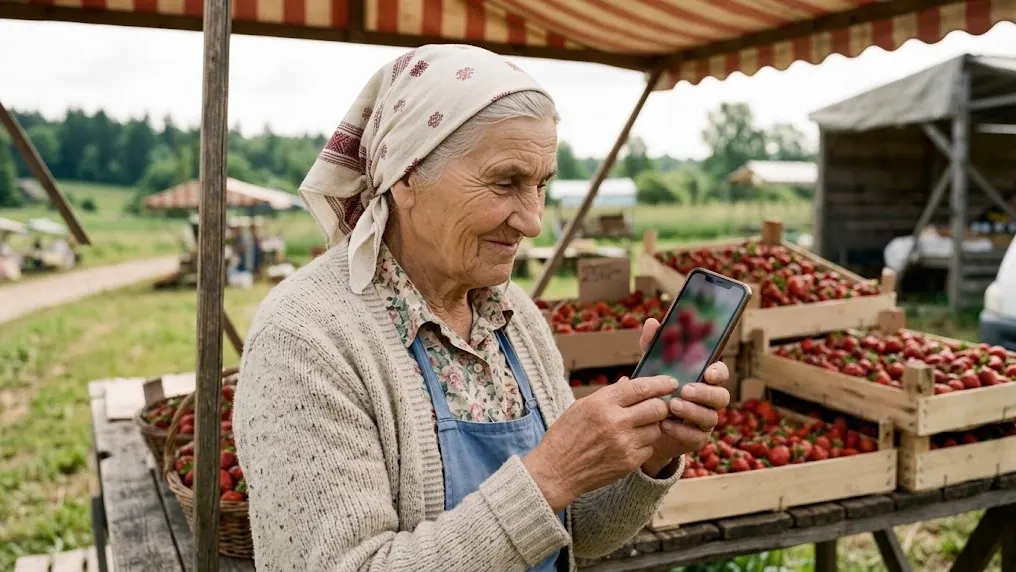
From Sofia’s story: Sunday: Ema and Sofia make an autumn advert
ToolPixVerse
Turns a text prompt or a photo into a short video clip.
From $10 per month (Standard, monthly billing) (source, checked 2026-10-04)
PixVerse generates short AI videos from a text prompt or a start image. In this guide it is used in “From a photo to a moving clip” and “Join the clips and check the match”. It is used for Reels, teasers and product moments, and it makes several versions quickly, so you keep only the best one.
YouCam
An online AI photo and video editor: enhance, retouch, change backgrounds, turn a photo into a short clip.
From being verified
YouCam is an AI photo editor for retouching, clutter removal and restyling photos in the browser. In this guide it is used in “From a photo to a moving clip”. People use it to tidy portraits and shop photos, and it is quick at removing passing clutter and small blemishes.
Free plan (source, checked 21 Oct 2026)
We recommend a specialised tool for each process rather than one tool that does everything. Tools that try to do everything rarely do any one job really well, because no single function gets perfected. It is the same in life, in business and in relationships: spread your attention over ten places and nothing gets done properly.
Forward, without brakes

Now that the Kailiniai Heroes exist, you can have your own. Create one hero or several, and use them for goals that used to need a whole team or a big budget.
