
Guide
Turn one product photo into your first 10-second video clip

For this guide and its prompts we recommend:
- PixVerse turns your clean product photo and a short motion prompt into a first clip.
- Higgsfield lets you run the same photo and prompt a second time.
- Fotor removes a busy background and corrects light and sharpness. Free plan (source)
Offers checked 21 Oct 2026
You can now turn one product photo into video.
A 10-second clip of your own product, made from one photo, with a prompt recipe you can reuse and an AI label on it.

What you need

- One sharp photo of your product, taken by you
- An AI video generator that animates a photo
- Any AI chat assistant, for the motion prompt
- A video editor, for the label and the final export
Recommended AI tools
PixVerseYou choose from several takes HiggsfieldScenes and motion that look planned FotorClean, sharp photos without a reshootFree plan
Steps
Clean the photo before anything moves
The generator copies whatever is in the frame, including clutter and bad light. Remove a busy background, correct the light and check the product edges are sharp. Change nothing about the product itself.
Describe only the motion and the camera
The photo already sets the scene. Your prompt says what moves, how the camera moves and how fast. One movement per clip.
WeakA beautiful cinematic video of my ceramic mug in a cosy kitchen with steam and people.
BetterSteam rises slowly from the mug. Camera stays still, then a slow push in. Soft morning light. The mug does not change shape or colour.
Make two versions and compare them
Run the same prompt twice, or in two generators, and compare them side by side. Keep the one where the product looks most like the real thing, not the one with the most action.
Check the product against the photo
Pause the clip at the start, middle and end. Colour, shape, logo and size must match your real product. If anything changed, try again or cut that part out.
Adding yourself? Only your own face
If you want a shot of a person with the product, use your own face or a person who gave written consent. Never a real person's likeness without consent, and no AI children or animals. To keep the same face across several clips, see /guides/keep-a-hero-looking-the-same-in-every-clip/.
Label it and save the recipe
Add a short text such as 'Made with AI from a product photo' on the clip or in the caption. Save the photo, the prompt and the settings together, so the next clip starts from a recipe, not from zero.
The full instruction
Copy it into any AI chat assistant and change only the first line.
Change only this line: PRODUCT = [a blue linen cushion, 45 cm square]

You help a business owner write a prompt for a photo-to-video AI generator. The clip shows my PRODUCT.

First ask me, one question at a time: what is in the frame of the photo I will upload and its background, where the clip will be posted (for example a product page or a social account), and the feeling I want (for example calm, fresh, handmade).

Do three things:
1. Write 3 motion prompts of at most 30 words each. Each prompt describes only one movement, one camera move and the light. Do not describe the product again; the photo does that.
2. Add one line to every prompt that tells the generator the product must not change colour, shape, text or size.
3. Write a short on-screen label and a caption of at most 20 words that says the clip was made with AI from a product photo.

Do not add people, children or animals to the scene. Do not invent claims about the product.

After my answers, start with prompt 1, with no introduction.
What you end up with
One 10-second clip that still shows your real product, labelled as made with AI, and a saved recipe (photo, prompt, settings) for the next one. For the full anatomy of a video prompt, see /guides/write-prompts-for-ai-video/.
Common mistakes
- Starting from a cluttered or dark photo and hoping the generator will fix it.
- Keeping a version where the product changed colour or shape because the motion looked good.
- Posting the clip without saying that it was made with AI.
Processes that need more than one tool

Each process below uses several tools, each for the job it does best. Any AI chat assistant works where one is named.
Clean the source photo
Tools, in order: your phone camera → Fotor
- Take the product photo in daylight on a plain surface.
- Correct only the light and sharpness in Fotor and remove a busy background; change nothing about the product.
The prompt for this process
I am about to photograph a product with my phone and clean it up in Fotor (background removal, light, sharpness) before turning it into a short video.

Product: [what it is, colour, material, size]
Where I can shoot: [e.g. by a window, on a kitchen table]

Write a checklist of at most 8 lines for the photo: light, background, angle, distance, space around the product. Then list 3 things I must not change when I clean the photo, so the video still shows the real product.

Start with the first line of the checklist.
Write the motion prompt
Tools, in order: any AI chat assistant → PixVerse
- Ask the chat assistant for three motion prompts: one movement, one camera move, the light.
- Upload the clean photo to PixVerse and run the first prompt.
The prompt for this process
You write motion prompts for PixVerse, starting from one clean product photo.

The photo shows: [describe the frame]
Product: [colour, shape, material]
Mood: [e.g. calm, fresh, handmade]

Write 3 motion prompts of at most 30 words each. Each one has one movement, one camera move and the light, and ends with: "The product keeps its exact colour, shape and text." One of the three may use a true contrast as the hook, for example a slow close-up that reveals a real detail of the product. No people, children or animals, and no fake danger.

Start with prompt 1.
Make two versions and compare
Tools, in order: PixVerse → Higgsfield
- Run the same photo and prompt in PixVerse and in Higgsfield; in Higgsfield you can also try one of its ready motion templates.
- Pause both at the start, middle and end and keep the one where the product matches the photo.
The prompt for this process
I made two short clips from the same product photo, one in PixVerse and one in Higgsfield.

Product facts: [colour, shape, logo, size]
What I see in clip A at start, middle and end: [notes]
What I see in clip B at start, middle and end: [notes]

Compare the two clips only on how faithfully they show the real product, then on how clear the single movement is. Say which clip to keep and what one change to the prompt would fix the other.

Start with the product comparison.
Add a shot of yourself and the AI label
Tools, in order: Higgsfield → a video editor
- Make a shot with your own face only, or a person who gave written consent.
- Join the clips in a video editor and add the 'Made with AI' text before export.
The prompt for this process
I want one short shot of myself holding my product, made in Higgsfield from my own photo, then joined with my product clip in a video editor.

My photo shows: [describe: me, what I wear, the setting]
Product: [what it is]
Where it will be posted: [platform]

Write a prompt of at most 30 words for the shot: one simple action, one camera move, the light. Then write an on-screen label of at most 6 words and a caption line of at most 20 words that both say the clip was made with AI.

Start with the shot prompt.
For this result we recommend these tools
This guide describes a result. These tools are one way to get there faster. Whether one pays for itself depends on your work, and we promise no result.

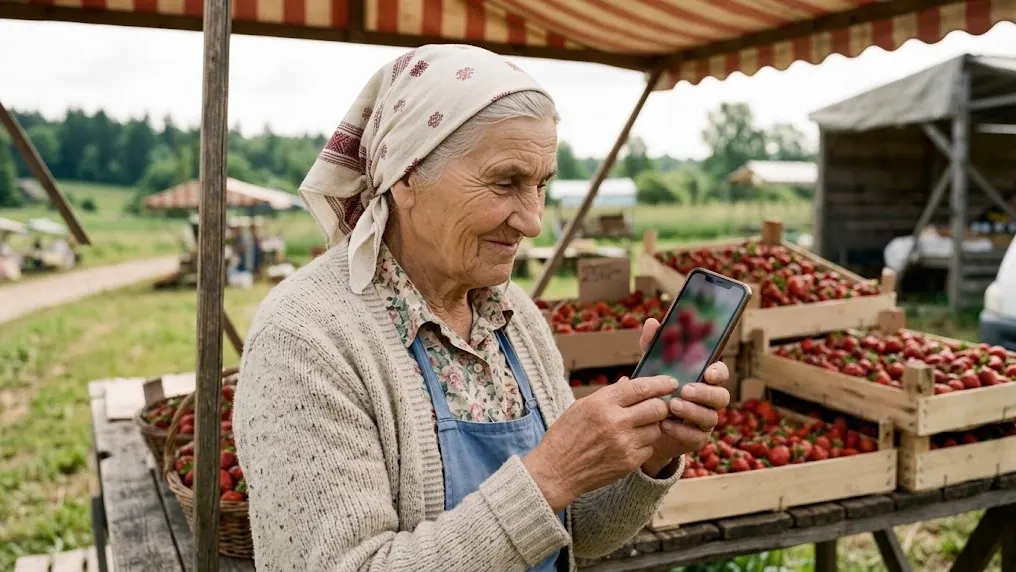
From Sofia’s story: Sunday: Ema and Sofia make an autumn advert
ToolPixVerse
Turns a text prompt or a photo into a short video clip.
From $10 per month (Standard, monthly billing) (source, checked 2026-10-04)
PixVerse generates short AI videos from a text prompt or a start image. In this guide it is used in “Write the motion prompt” and “Make two versions and compare”. It is used for Reels, teasers and product moments, and it makes several versions quickly, so you keep only the best one.

Higgsfield
An AI image and video generator with many models, effects and an ads studio.
From €19 per month (Starter, billed annually; 270 credits a month) (source, checked 2026-10-15)
Higgsfield is an AI image and video generator with ready camera moves and effect templates. In this guide it is used in “Make two versions and compare” and “Add a shot of yourself and the AI label”. Creators use it for ads, covers and short clips, and its motion presets can turn a still product photo into a moving shot.

Fotor
AI photo clean-up: background removal, light and sharpness.
From €2.83 per month (Pro, €33.99 billed yearly) (source, checked 2026-10-16)
Fotor is a browser photo editor with AI tools for background removal, light and sharpness. In this guide it is used in “Clean the source photo”. Shops and creators use it to make product and post photos look clean without a studio, and one click fixes light and background while the product stays as it is.
Free plan (source, checked 21 Oct 2026)
We recommend a specialised tool for each process rather than one tool that does everything. Tools that try to do everything rarely do any one job really well, because no single function gets perfected. It is the same in life, in business and in relationships: spread your attention over ten places and nothing gets done properly.
Forward, without brakes

Now that the Kailiniai Heroes exist, you can have your own. Create one hero or several, and use them for goals that used to need a whole team or a big budget.
