
Guide
Raw footage to captions and every format in 30 minutes

For this guide and its prompts we recommend:
- OpusClip adds captions and makes the vertical, square and wide versions from the same cut. Free plan (source)
- Fliki makes a short intro and outro card with a background track, ready to join to the main video. Free plan (source)
Offers checked 21 Oct 2026
You can now cut a video from its transcript.
One edited video with captions, music, fixed colour and synced sound, exported in 9:16, 1:1 and 16:9.

What you need

- Your raw footage and its transcript
- A video editor
- OpusClip for captions and resizing
- Any AI chat assistant
Recommended AI tools
OpusClipOne recording becomes several captioned clipsFree plan FlikiA voiced video from text you already haveFree plan
Steps
Cut from the transcript, not the timeline
Paste the transcript into a chat assistant and ask for a cut list: which takes to keep, in what order, with start and end lines. Then make the rough cut in your editor from that list.
WeakMake this video shorter and better.
BetterHere is the transcript. Keep the best take of each point, in this order: problem, method, result. Give me the first and last line of every take to keep. Do not change the meaning of what I said.
Check that the cut keeps the meaning
Watch the rough cut once from start to finish. A cut must never make the speaker say something they did not mean. If a joined sentence changes the sense, put the original back.
Add captions and resize for each platform
Add captions and make the vertical, square and wide versions. Check that faces and on-screen text are not cut off in any version.
Fix colour, sound sync and sharpness
Correct the colour so all takes match, check that the lips match the sound and clean the voice if there is background noise.
Add music you are allowed to use
Add a quiet music bed and only a few sound effects. Check the licence of every track for your use. For turning a long video into short clips, see /guides/long-video-into-true-short-clips/.
The full instruction
Copy it into any AI chat assistant and change only the first line.
Change only this line: TOPIC = [a how-to video for a leather care kit]

You help me edit raw footage about my TOPIC into one finished video for my website and social media.

If you need to know who watches, ask me first. Use this order unless I say otherwise: problem, method, result.
Below this prompt I paste the transcript with timecodes.

Do three things:
1. Give me a cut list: for each take to keep, the first and last line and the timecode, in the order above. Mark the best take when I said something twice.
2. Flag any place where joining two takes could change what I meant.
3. Write captions for the first 30 seconds and a title of at most 8 words for each format: vertical, square and wide.

Do not rewrite what I said.

Start with the cut list.

Paste your material below this line:
What you end up with
One edited video with captions, matched colour, synced and clean sound and licensed music, exported in three formats from the same cut.
Common mistakes
- Cutting so tightly that the speaker seems to say something else.
- Exporting the vertical version without checking that faces and text fit.
- Using music without checking its licence.
Processes that need more than one tool

Each process below uses several tools, each for the job it does best. Any AI chat assistant works where one is named.
Pick the best takes from the transcript
Tools, in order: any AI chat assistant → a video editor
- Paste the transcript into the chat assistant and ask for a cut list with first and last lines.
- Make the rough cut in a video editor from that list and watch it once for meaning.
The prompt for this process
Make a cut list from my raw footage transcript.

What the video is for: [purpose]
Order I want: [e.g. problem, method, result]
Transcript with timecodes: [paste]

For each take to keep, give the timecode, the first and last line, and why it is the best take. Flag any place where joining two takes could change what the speaker meant. Do not rewrite anything that was said.

Start with the cut list.
Captions and every format
Tools, in order: OpusClip → a video editor
- Add captions and make the vertical, square and wide versions in OpusClip.
- Check in the video editor that faces and text fit in every version.
The prompt for this process
Help me check captions and formats for my edited video before export.

Caption text from OpusClip: [paste]
Words that must be spelled exactly: [product names, places]
Formats: vertical, square, wide

List caption errors and lines that are too long to read on a phone. Then write a short title of at most 8 words for each format and a checklist of 4 things to check in each version: faces, on-screen text, logo, captions.

Start with the caption errors.
Fix colour, sound sync and sharpness
Tools, in order: a video editor → a voice clean-up tool
- Match the colour of all takes and check lip sync in the video editor.
- Clean background noise from the voice track with a voice clean-up tool and put it back.
The prompt for this process
Help me plan the colour and sound fixes for one edited video.

Takes and how they look: [e.g. take 1 warm, take 3 darker]
Sound problems I hear: [e.g. fan noise, echo, voice a little late]
Where it will be watched: [phone, laptop, both]

Write a short fix list in the order I should do it: colour match, sharpness, lip sync, voice clean-up, final loudness check. For each step, say what to look or listen for and when to stop, so the voice still sounds like the speaker.

Start with the colour match.
Intro, outro and music
Tools, in order: Fliki → a video editor
- Make a short intro and outro card with a background track from Fliki and check the track's licence terms.
- Join them with the main cut in the video editor and keep the music under the voice.
The prompt for this process
Write the text for a short intro and outro card that I will make in Fliki and join to my video in a video editor.

Video topic: [topic]
Who watches: [audience]
What I want viewers to do after: [e.g. visit the product page]
Mood of the music: [e.g. calm, light]

Write an intro line of at most 8 words that says what the video shows, an outro of at most 15 words with one next step, and 3 questions to check in the music licence before I publish.

Start with the intro line.
For this result we recommend these tools
This guide describes a result. These tools are one way to get there faster. Whether one pays for itself depends on your work, and we promise no result.


From Sandra’s story: Sandra cuts the video - and keeps the stitch
ToolOpusClip
AI tool that cuts long videos into short clips with captions for social media.
From $15 USD/mo, billed monthly (Starter, available monthly only) (source, checked 2026-10-07)
OpusClip cuts long videos into short vertical clips and adds captions automatically. In this guide it is used in “Captions and every format”. Podcasters, coaches and shops use it to turn one recording into a week of clips, and it picks moments that stand alone and reframes the speaker for phones.
Free plan (source, checked 21 Oct 2026)

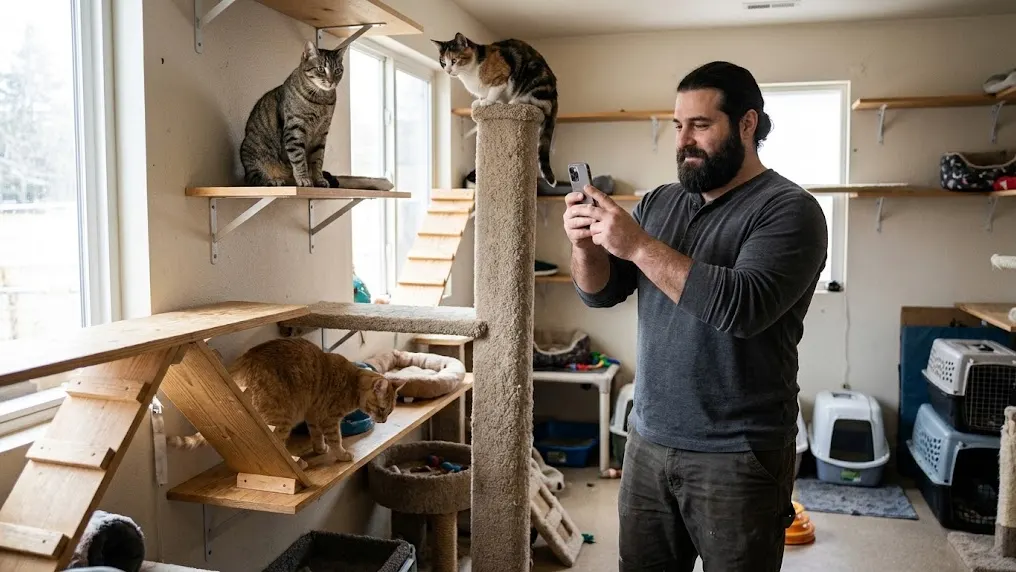
From Thomas’s story: Thomas gives the shelter animals a voice - and a rule
ToolFliki
Turns text into videos with AI voices.
From €24 per user per month (Standard, monthly billing, no commitment) (source, checked 2026-10-04)
Fliki turns a script, a blog post or an outline into a narrated video with AI voices and stock footage. In this guide it is used in “Intro, outro and music”. It is popular for explainers, training clips and faceless series, and text, voice and visuals are edited together, line by line.
Free plan (source, checked 21 Oct 2026)
We recommend a specialised tool for each process rather than one tool that does everything. Tools that try to do everything rarely do any one job really well, because no single function gets perfected. It is the same in life, in business and in relationships: spread your attention over ten places and nothing gets done properly.
Forward, without brakes

Now that the Kailiniai Heroes exist, you can have your own. Create one hero or several, and use them for goals that used to need a whole team or a big budget.
